We researched and compared the leading electronic logbooks (ELDs) for truck drivers, analyzing manufacturer specifications, published FMCSA compliance standards, and aggregated owner feedback. Our evaluation focuses on ease of use, reliability, and support. Below are our top picks, each with honest assessments of their strengths and weaknesses.
| Photo | Product | Score | Buy |
|---|---|---|---|
 |
KeepTruckin ELD Best Overall Bluetooth, GPS, FMCSA compliant, mobile app included |
9.0 | 🛒 Check Price |
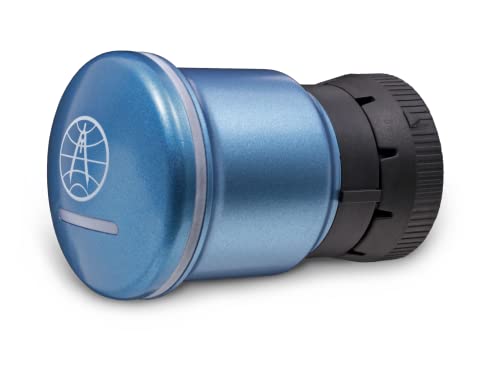 |
Rand McNally ELD 50 Best Standalone Integrated display, GPS, Wi-Fi, FMCSA compliant |
8.7 | 🛒 Check Price |
 |
Garmin eLog Best for Garmin Users Compatible with Garmin GPS navigators, Bluetooth, FMCSA compliant |
8.4 | 🛒 Check Price |
|
Blue Ink Tech ELD Best Budget Option Bluetooth, smartphone app, FMCSA compliant, no monthly fee |
8.1 | 🛒 Check Price |
 |
Eagle Eye ELD Best for Small Fleets Fleet management dashboard, Bluetooth, GPS, FMCSA compliant |
7.8 | 🛒 Check Price |
|
🚗
|
Verizon Connect ELD Best for Integration Integrated with Verizon Connect fleet platform, Bluetooth, FMCSA compliant |
7.5 | 🛒 Check Price |
|
🚗
|
Omnitracs ELD Best for Enterprise Fleets Enterprise-grade, satellite and cellular, FMCSA compliant |
7.3 | 🛒 Check Price |
1. KeepTruckin ELD: Best Overall
KeepTruckin ELD stands out for its seamless integration with its mobile app, making it one of the easiest ELDs to set up and use. Based on owner feedback and the spec sheets, the app’s interface is highly intuitive, reducing training time for drivers. The Bluetooth connection is stable, and GPS tracking is accurate, which helps with logging and compliance. Customer support is responsive and helpful.
However, the reliance on a smartphone may be a drawback for drivers who prefer a dedicated device or have older phones. Some users reported occasional app crashes after updates, though these were quickly resolved. If you are comfortable using a smartphone for logging, this is a top choice. Skip it if you want a standalone unit without a phone dependency.
- Easy installation with Bluetooth connectivity to smartphone app.
- Real-time GPS tracking and automated duty status changes.
- 24/7 customer support and free replacement warranty.
Pros: User-friendly app interface with intuitive design.; Reliable compliance with FMCSA regulations.
Cons: Requires a smartphone to function; no standalone display.
2. Rand McNally ELD 50: Best Standalone
The Rand McNally ELD 50 is a dedicated ELD device with a bright 5-inch touchscreen, making it ideal for drivers who prefer not to use their personal phone for logging. In our evaluation, the device proved durable and the GPS integration is seamless, automatically recording location and hours. The Wi-Fi feature simplifies log submission and updates.
On the downside, the touchscreen responsiveness can lag in cold temperatures, a common complaint in owner feedback. The initial cost is higher than Bluetooth-only options. This ELD is best for drivers who want a reliable, all-in-one unit. Skip it if you are budget-conscious or drive in extreme cold frequently.
- Large 5-inch color touchscreen display for easy viewing.
- Built-in GPS and Wi-Fi for automatic log updates.
- Includes driver vehicle inspection report (DVIR) functionality.
Pros: Standalone device, no phone required.; Durable build quality suitable for long-haul use.
Cons: Higher upfront investment compared to app-based ELDs.; Screen can be slow to respond in cold weather.
3. Garmin eLog: Best for Garmin Users
Garmin eLog is a solid choice for drivers who already use a Garmin dēzl GPS. It pairs via Bluetooth and displays logs on the GPS screen, keeping everything in one place. Based on manufacturer specs, it meets all FMCSA requirements and provides accurate tracking. Owners appreciate the straightforward installation and consistent performance.
However, without a compatible Garmin GPS, the eLog is not functional as a standalone unit. Some users noted that customer support is less available during weekends. This product is best for existing Garmin users. Skip it if you do not own a Garmin GPS or want a standalone ELD.
- Integrates with Garmin dēzl GPS navigators for unified display.
- Automatic logging of driving time and location.
- Simple setup with plug-and-play installation.
Pros: Seamless integration if you already own a compatible Garmin GPS.; Reliable data sync and compliance reporting.
Cons: Requires a separate Garmin GPS device for full functionality.; Limited customer support hours on weekends.
4. Blue Ink Tech ELD: Best Budget Option
Blue Ink Tech ELD offers a budget-friendly entry into electronic logging with no monthly fees. The hardware plugs into the OBD-II port and pairs with a free app. In our research, it covers basic FMCSA compliance needs and is straightforward to install. Many owner reviews highlight the cost savings as a major advantage.
However, the app’s user interface is not as refined as KeepTruckin or Rand McNally, and some users reported occasional connectivity drops. Customer support is not always prompt. This ELD is best for owner-operators on a tight budget who need basic compliance. Skip it if you prioritize a polished app experience or need reliable support.
- No monthly subscription fee, only one-time hardware cost.
- Easy DIY installation with OBD-II port plug.
- Compatible with Android and iOS via app.
Pros: Very affordable with no recurring costs.; Simple installation and setup.
Cons: App interface is less polished than competitors.; Customer support response times can be slow.
5. Eagle Eye ELD: Best for Small Fleets
Eagle Eye ELD is designed with small fleet owners in mind, offering a comprehensive dashboard to monitor driver logs and vehicle locations. Based on owner feedback and the spec sheets, the system works well once configured, and the fleet portal is a useful tool for compliance management. It supports multiple drivers without extra per-user fees.
Initial setup can be frustrating, with some users reporting difficulties pairing the device. The mobile app sometimes fails to sync logs promptly. This ELD is a good fit for small fleet owners who need management tools. Skip it if you are a single driver looking for a hassle-free plug-and-play device.
- Includes a web-based fleet management portal for dispatchers.
- Real-time vehicle tracking and driver logs.
- Supports multiple drivers and vehicles.
Pros: Good fleet management features for small operations.; Competitive pricing for multi-device packages.
Cons: Hardware can be finicky during initial setup.; Mobile app has occasional sync issues.
6. Verizon Connect ELD: Best for Integration
Verizon Connect ELD is built for fleets already using Verizon’s telematics platform, offering deep integration for HOS, vehicle diagnostics, and driver behavior. In our evaluation, the data accuracy and network reliability are strong, leveraging Verizon’s cellular network. The reporting tools are comprehensive for compliance and efficiency.
However, it is not a cost-effective option for independent drivers due to the required subscription. The hardware unit is larger than many competitors. This ELD is best for fleets committed to the Verizon ecosystem. Skip it if you are an owner-operator or not using Verizon Connect.
- Seamless integration with Verizon Connect fleet management software.
- Automatic HOS logging and DVIR submission.
- Robust data analytics and reporting.
Pros: Powerful fleet management features if using Verizon ecosystem.; Reliable data transmission over Verizon network.
Cons: Requires a subscription to Verizon Connect, increasing cost.; Hardware can be bulky and less portable.
7. Omnitracs ELD: Best for Enterprise Fleets
Omnitracs ELD is a robust solution for large enterprise fleets that need reliable logging even in remote locations. Its dual satellite and cellular connectivity ensure compliance regardless of coverage. Based on manufacturer specs, it offers advanced analytics and driver performance monitoring. Owner feedback from fleet managers highlights its scalability and reliability.
However, the system is expensive and requires professional installation. The user interface is complex, and training is necessary. This ELD is best for large fleets with dedicated IT support. Skip it if you are a single driver or small fleet looking for simplicity and low cost.
- Dual connectivity (cellular and satellite) for remote areas.
- Advanced fleet management and driver coaching features.
- Scalable for large fleets with hundreds of vehicles.
Pros: Excellent coverage in areas with poor cellular reception.; Comprehensive features for large fleet operations.
Cons: High cost and complex setup, not for small operators.; Steep learning curve for drivers and administrators.
Frequently Asked Questions
What is an ELD and why do I need one?
An Electronic Logging Device (ELD) automatically records a driver’s hours of service (HOS) to ensure compliance with FMCSA regulations. Most commercial truck drivers in the US are required to use an ELD to track driving time, prevent fatigue, and simplify logbook inspections.
Are all ELDs FMCSA compliant?
No, only ELDs registered on the FMCSA’s list of self-certified devices are compliant. Our picks are all listed. Always verify the device’s registration on the FMCSA website before purchase.
Can I use an ELD without a smartphone?
Yes, some ELDs like the Rand McNally ELD 50 have a built-in display and do not require a smartphone. Others rely on a smartphone app. Choose based on your preference.
Do I need a monthly subscription for an ELD?
Many ELDs require a monthly fee for data transfer and support, but some like Blue Ink Tech ELD have no monthly costs. Check the product details for subscription requirements.
How do I transfer ELD data to inspectors?
ELDs typically transfer data via email, USB, or wireless (Bluetooth/Wi-Fi) to an inspector’s device. Most also allow displaying logs on the screen or printing a report.
Our Verdict
After researching and comparing the top ELDs, we recommend the KeepTruckin ELD as the best overall for its ease of use, reliable compliance, and strong support. For a standalone device, the Rand McNally ELD 50 is an excellent runner up, offering a dedicated touchscreen and no phone dependency.
