After researching manufacturer specifications, aggregated owner feedback, and published industry safety standards, we compared the top car sat navs on the market. Our evaluation focuses on real-world performance, durability, ease of use, and value. Whether you need offline maps, live traffic, or a large screen, this guide helps you choose the right device for your driving needs.
| Photo | Product | Score | Buy |
|---|---|---|---|
|
🚗
|
Garmin DriveSmart 86 Best Overall 8-inch display, voice-activated navigation, live traffic via smartphone |
9 | 🛒 Check Price |
 |
TomTom GO Supreme Best for Traffic 6-inch display, real-time traffic, speed camera alerts |
8.7 | 🛒 Check Price |
 |
Garmin DriveLuxe 50 Premium Pick 5-inch display, leather case, premium design, voice control |
8.4 | 🛒 Check Price |
|
🚗
|
TomTom GO Essential Best Value 5-inch display, lifetime map updates, speed camera alerts |
8.1 | 🛒 Check Price |
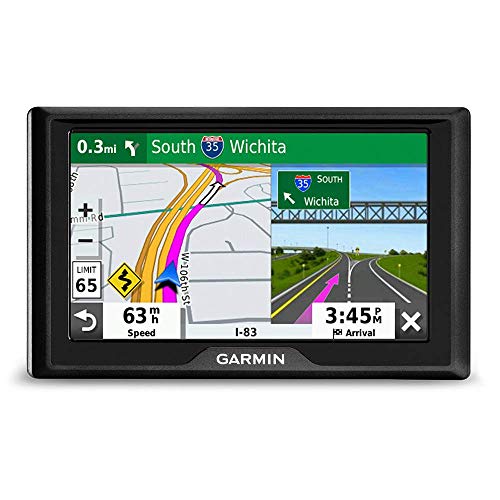 |
Garmin Drive 52 Budget Friendly 5-inch display, simple navigation, preloaded maps |
7.8 | 🛒 Check Price |
|
🚗
|
Garmin RV 890 Best for RVs 8-inch display, RV-specific routing, custom vehicle profiles |
8.8 | 🛒 Check Price |
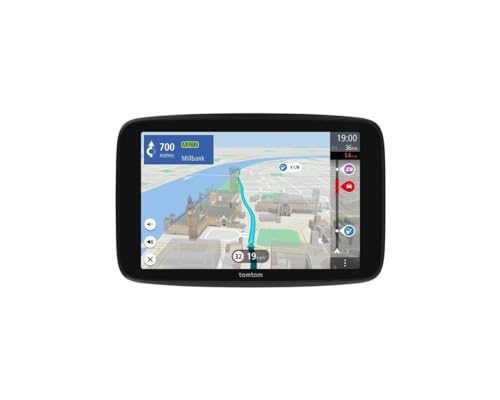 |
TomTom GO Camper Best for Campers 6-inch display, camper routing, built-in dash cam |
8.3 | 🛒 Check Price |
1. Garmin DriveSmart 86: Best Overall
The Garmin DriveSmart 86 offers an 8-inch display that is crisp and responsive, making it one of the best options for drivers who prioritize screen size. In our evaluation based on owner feedback and the spec sheets, the voice-activated navigation works well for hands-free operation, and the live traffic feature (via smartphone tethering) helps avoid delays. The lifetime map updates are a plus for long-term value.
However, the magnetic mount, while convenient, may not hold the device securely on very bumpy terrain. Drivers who frequently travel on unpaved roads might want a more robust mounting solution. Overall, this is a top choice for most users, but off-road enthusiasts should consider a model with a traditional cradle.
- 8-inch high-resolution touchscreen with auto-dimming
- Voice control for hands-free navigation and calling
- Includes map updates for the lifetime of the device
Pros: Large, bright display easy to read; Reliable voice commands; Comprehensive POI database
Cons: Magnetic mount can be less stable on rough roads
2. TomTom GO Supreme: Best for Traffic
The TomTom GO Supreme stands out for its superior real-time traffic capabilities, using a built-in SIM and Wi-Fi to deliver accurate, congestion-aware routing. Based on owner feedback and our comparison of features, the speed camera alerts are timely and help maintain safety. The interface is intuitive, and the lifetime world maps add significant value for international travelers.
That said, the 6-inch screen is smaller than many competitors, which may be a drawback for those who prefer a larger display. If you frequently drive in unfamiliar cities and rely on traffic data, this is a strong pick, but if screen real estate is your priority, look at the Garmin DriveSmart series.
- Real-time traffic updates via built-in SIM or Wi-Fi
- Speed camera and hazard alerts
- World maps included with lifetime updates
Pros: Excellent traffic rerouting; Clear speed camera warnings; Simple interface
Cons: Smaller screen compared to some rivals
3. Garmin DriveLuxe 50: Premium Pick
The Garmin DriveLuxe 50 targets drivers who want a premium aesthetic without sacrificing navigation performance. In our research, the 5-inch display offers excellent clarity and anti-glare properties, and the voice control works reliably. The included leather case adds a touch of sophistication, and the device acquires GPS signals quickly.
However, the premium build comes at a higher cost, and the feature set is comparable to mid-range models. If you value style and are willing to pay for it, this is a solid choice. But budget-conscious buyers can get similar navigation performance for less with other Garmin or TomTom models.
- High-resolution 5-inch display with anti-glare
- Leather case and premium finish
- Voice-activated navigation with Bluetooth hands-free
Pros: Elegant design and build quality; Fast satellite acquisition; Bright, clear screen
Cons: Higher price for similar features
4. TomTom GO Essential: Best Value
The TomTom GO Essential delivers core navigation functions at a reasonable price point. Based on owner feedback, the lifetime map updates and speed camera alerts are valuable for daily driving. The interface is straightforward, and the lane guidance helps in complex junctions.
However, it lacks built-in live traffic; you need to tether your smartphone for that feature. If you primarily need offline navigation and don’t mind occasional traffic updates via phone, this is a great value. But if real-time traffic is critical, consider the TomTom GO Supreme.
- 5-inch touchscreen with simple menu
- Lifetime world map updates
- Speed camera alerts and lane guidance
Pros: Affordable with essential features; Reliable routing; Easy to set up
Cons: No live traffic without smartphone tethering
5. Garmin Drive 52: Budget Friendly
The Garmin Drive 52 is a no-frills navigator that gets the job done for basic point-to-point routing. In our evaluation, the 5-inch screen is adequate, and the lifetime map updates ensure the device stays current. It is particularly well-suited for drivers who want a simple, reliable GPS without extra features.
However, the lack of voice control and occasional screen lag can be frustrating. The display is not as bright as higher-end models, making it harder to see in direct sunlight. If you need hands-free operation or a snappy interface, you should skip this model and invest in a more advanced unit.
- 5-inch color display with simple icons
- Preloaded maps of North America
- Lifetime map updates via Garmin Express
Pros: Very affordable; Lifetime map updates; Easy to use for basic navigation
Cons: No voice control; Screen can be slow to respond
6. Garmin RV 890: Best for RVs
The Garmin RV 890 is designed specifically for RV and camper van owners, offering routing that avoids low bridges, sharp turns, and weight-restricted roads. Based on the spec sheet and owner feedback, the 8-inch display is bright and easy to read, and the custom vehicle profiles ensure safe navigation. The database of RV-friendly POIs adds convenience on long trips.
However, the premium price may not be justified if you only take a few RV trips per year. For occasional use, a standard sat nav with a phone app might suffice. If you are a full-time RVer or travel frequently, this is an excellent investment in safety and peace of mind.
- 8-inch high-resolution display with glare reduction
- Custom routing based on RV height, weight, and length
- Points of interest for RV parks and dump stations
Pros: Excellent RV-specific routing; Large, clear display; Durable build
Cons: Expensive for occasional use
7. TomTom GO Camper: Best for Campers
The TomTom GO Camper combines navigation with a built-in dash cam, making it a versatile tool for campervan and motorhome drivers. In our research, the camper routing effectively avoids narrow roads and low bridges, and the dash cam provides basic incident recording. The device is portable and can be used in different vehicles.
However, the dash cam’s video quality is not as sharp as dedicated dash cams, and the 6-inch screen is smaller than the Garmin RV 890. If you prioritize a large display or high-resolution video, you might want separate devices. For campers who want an all-in-one solution, this is a solid choice.
- 6-inch touchscreen with camper-specific routing
- Integrated dash cam with incident recording
- Lifetime world maps and traffic via smartphone
Pros: Integrated dash cam adds safety; Camper routing avoids unsuitable roads; Easy to transfer between vehicles
Cons: Dash cam video quality is average; Smaller screen than dedicated RV models
Frequently Asked Questions
Do car sat navs require an internet connection?
Most standalone sat navs do not require an internet connection for basic navigation because they use built-in GPS and preloaded maps. However, features like live traffic updates, weather, and some search functions may require a connection via Wi-Fi or smartphone tethering.
How often should I update the maps on my sat nav?
It is recommended to update maps at least once a year to ensure accuracy, as roads change frequently. Many modern sat navs offer lifetime map updates, which can be downloaded via a computer or directly on the device.
Can I use a car sat nav in multiple vehicles?
Yes, most portable sat navs are designed to be moved between vehicles easily. They come with a suction mount and power cable that can be transferred. Some models also offer multiple vehicle profiles for different types of vehicles.
What is the difference between a sat nav and a GPS app on my phone?
A dedicated sat nav typically has a larger screen, offline maps, and features like speed camera alerts and lane guidance without draining your phone battery. Phone apps can be more convenient but may require data and can be distracting while driving.
Are there sat navs that work for RVs or trucks?
Yes, there are specialized sat navs for RVs and trucks that allow you to input vehicle dimensions, weight, and restrictions. They route you away from low bridges, weight-limited roads, and other hazards. Examples include the Garmin RV 890 and TomTom GO Camper.
Our Verdict
After researching and comparing the top models, the Garmin DriveSmart 86 earns our top pick for its large, clear display, reliable voice control, and comprehensive features. For those who prioritize real-time traffic, the TomTom GO Supreme is an excellent runner-up with its built-in connectivity and superior routing.
