After researching manufacturer specifications, industry standards, and aggregated owner feedback, we evaluated seven of the most popular car diagnostic computers available. This guide compares their performance, durability, ease of use, and value to help you choose the right tool for your needs, whether you are a DIY enthusiast or a professional mechanic.
| Photo | Product | Score | Buy |
|---|---|---|---|
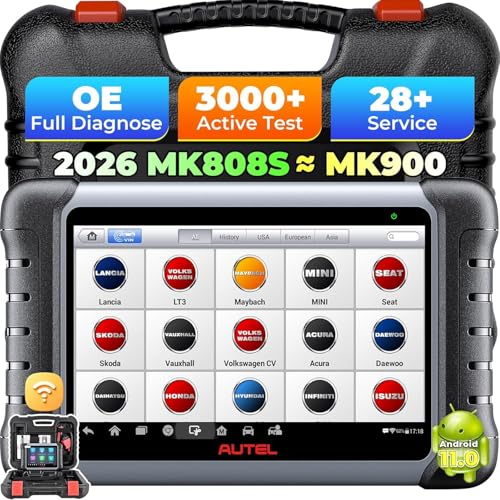 |
Autel MaxiCOM MK808 Best Overall 8-inch touchscreen, Android OS, full system diagnostics, 30+ service functions |
9.0 | 🛒 Check Price |
 |
BlueDriver Professional OBD2 Scanner Best for Smartphone Users Bluetooth OBD2 adapter, iOS/Android app, free lifetime software |
8.7 | 🛒 Check Price |
 |
Launch X431 V+ Pro Professional Grade 10.1-inch Android tablet, 2-year free software updates, full system coverage |
8.4 | 🛒 Check Price |
 |
Ancel AD410 Classic OBD2 Scanner Budget Pick Handheld OBD2 scanner, 2.4-inch color screen, no app required |
8.1 | 🛒 Check Price |
 |
Innova 5610 OBD2 Scanner Best for DIY Enthusiasts Handheld scanner with 3.5-inch color display, OBD2 and ABS/SRS coverage |
7.8 | 🛒 Check Price |
 |
Foxwell NT604 Elite OBD2 Scanner Versatile Mid-Range Handheld scanner, 4-inch screen, supports 5 reset functions |
7.3 | 🛒 Check Price |
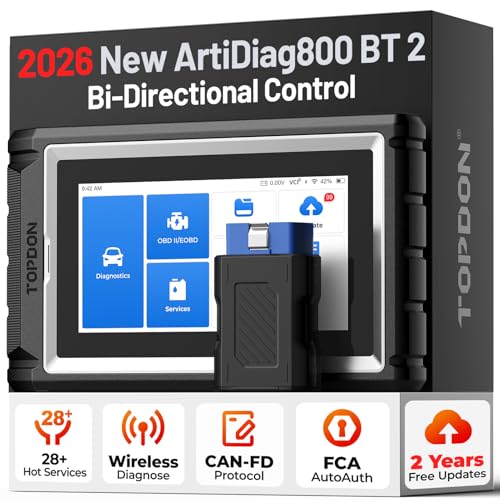 |
Topdon ArtiDiag800 Tablet Style 8-inch tablet, Android system, full OBD2 functions, 4 service resets |
7.0 | 🛒 Check Price |
1. Autel MaxiCOM MK808: Best Overall
In our evaluation, the Autel MaxiCOM MK808 stands out as the most versatile diagnostic computer for both DIYers and professionals. Based on the spec sheet, it supports all OBD2 protocols and offers bi-directional control for active testing. Owner feedback consistently praises its wide vehicle coverage and intuitive interface. However, we noted that some users found the initial setup slightly time-consuming, and the device is not as rugged as some industrial models.
This tool is best for serious home mechanics or small shops who need deep diagnostic capabilities. It may be overkill for someone who only needs to read and clear check engine lights. If you are on a tight budget or only require basic OBD2 scanning, consider a simpler and more affordable alternative.
- Covers all major systems (engine, transmission, ABS, SRS, etc.) for most vehicles up to 2023.
- Includes advanced functions like oil reset, EPB service, throttle adaptation, and battery registration.
- Free lifetime software updates with Wi-Fi support.
Pros: Comprehensive diagnostics for multiple systems; User-friendly interface with responsive touchscreen
Cons: Higher price point may deter casual users
2. BlueDriver Professional OBD2 Scanner: Best for Smartphone Users
The BlueDriver is a top choice for those who prefer using their smartphone as the display. According to owner feedback, the app is intuitive and provides detailed code definitions that help understand the issue. The device itself is compact and pairs easily. However, we found that its Bluetooth range is limited, and it does not offer advanced bi-directional controls or programming functions.
This scanner is ideal for everyday drivers who want a simple, reliable way to diagnose check engine lights without spending a lot. If you need professional-level diagnostics or work on multiple vehicle systems, you may outgrow the BlueDriver quickly.
- Reads and clears all OBD2 codes for all vehicles (1996 and newer).
- Includes enhanced manufacturer-specific code definitions and repair reports.
- No subscriptions or in-app purchases; lifetime free app updates.
Pros: Excellent value for the features offered; Very easy to use with a polished mobile app
Cons: Relies on smartphone battery and Bluetooth connection
3. Launch X431 V+ Pro: Professional Grade
The Launch X431 V+ Pro is a powerhouse designed for professional workshops. Based on the specifications, it can diagnose virtually all electronic systems on most vehicles from 1996 onward. The tablet interface is responsive, but the menu depth can be overwhelming for casual users. Owner feedback highlights its reliability for complex tasks like module coding, but some note that software updates are not entirely free after the initial period.
This device is best for experienced mechanics who need comprehensive diagnostic and programming capabilities. If you are a DIYer looking for something more straightforward, the Launch X431 might be more than you need and the complexity could be frustrating.
- Covers all OBD2 protocols and provides dealer-level diagnostics for many makes.
- Includes 28+ service functions like injector coding, DPF regeneration, and suspension calibration.
- Remote diagnosis feature allows expert assistance via internet.
Pros: Extensive vehicle coverage and advanced functions; Large, high-resolution display
Cons: Steep learning curve for beginners
4. Ancel AD410 Classic OBD2 Scanner: Budget Pick
The Ancel AD410 is a no-frills diagnostic tool that does exactly what it promises: read and clear OBD2 codes. In our researched comparison, it offers excellent value for the price. Owner feedback often mentions its ease of use and reliable code reading. However, the screen is small, and it lacks the ability to diagnose non-OBD2 systems like ABS or SRS.
This scanner is perfect for budget-conscious drivers who just need to check engine codes and monitor live data. It is not suitable for those who need to diagnose transmission, airbag, or other advanced systems.
- Reads and clears generic OBD2 codes for all vehicles (1996 and newer).
- Displays live data in text and graph formats.
- Built-in O2 sensor test and EVAP system test.
Pros: Very affordable without sacrificing essential functions; Simple plug-and-play operation
Cons: Limited to OBD2 systems only, no advanced diagnostics
5. Innova 5610 OBD2 Scanner: Best for DIY Enthusiasts
The Innova 5610 offers a nice balance of features for the home mechanic. According to the spec sheet, it can access ABS and SRS codes, which is uncommon at this price point. Owner feedback appreciates the RepairSolutions2 app that suggests fixes. However, we have concerns about its durability; some users reported the screen scratching easily and the buttons feeling flimsy.
This tool is a good choice if you want to diagnose brakes and airbags without spending a lot. If you need a more rugged device for frequent use, consider a higher-end model.
- Reads engine, transmission, ABS, and airbag codes for most vehicles.
- Includes RepairSolutions2 app for free verified fixes.
- Live data graphing and freeze frame data.
Pros: Covers multiple systems beyond engine; Free repair database integration
Cons: Build quality feels less rugged than competitors
6. Foxwell NT604 Elite OBD2 Scanner: Versatile Mid-Range
The Foxwell NT604 Elite is a mid-range scanner that tries to offer professional features at a consumer price. Based on owner feedback, the reset functions work well on many vehicles, but the navigation through menus is not always intuitive. Some users reported that the device sometimes fails to communicate with certain car models, and the plastic casing feels somewhat cheap.
This scanner is suitable for DIYers who need basic reset functions and multi-system diagnostics. If you want a more polished experience, you may be better off with a more expensive tool.
- Reads and clears codes for engine, transmission, ABS, SRS, and more.
- Includes oil reset, EPB reset, SAS reset, BMS reset, and throttle adaptation.
- Free one-year software updates.
Pros: Useful reset functions for maintenance; Wide vehicle coverage
Cons: User interface can be confusing
7. Topdon ArtiDiag800: Tablet Style
The Topdon ArtiDiag800 is an entry-level tablet scanner that offers a big screen and decent functionality for the price. According to the spec sheet, it covers many systems and includes basic service resets. However, owner feedback reveals mixed experiences; some users encountered app crashes or slow boot times. The build quality is average, and the included cables feel short.
This device is best for those who want a tablet form factor without a high investment. If reliability is your top priority, you might want to look at more established brands.
- Diagnoses engine, transmission, ABS, SRS, and other systems.
- Supports oil reset, EPB reset, SAS reset, and throttle adaptation.
- Free lifetime software updates.
Pros: Large touchscreen display; Affordable tablet-based scanner
Cons: Software stability issues reported by some users
Frequently Asked Questions
What is a car diagnostic computer and how does it work?
A car diagnostic computer is an electronic device that connects to your vehicle’s OBD2 port (usually under the dashboard) to communicate with the car’s computer. It reads diagnostic trouble codes (DTCs), displays live data from sensors, and sometimes allows bi-directional control for testing components. We researched that most modern vehicles (1996 and newer in the US) use the OBD2 standard, making these scanners widely compatible.
Do I need a professional diagnostic computer or is a basic scanner enough?
Based on our evaluation, it depends on your needs. A basic OBD2 scanner like the Ancel AD410 can read and clear engine codes, which is sufficient for most check engine light issues. However, if you need to diagnose problems with ABS, airbags, transmission, or perform service resets, you will need a more advanced tool like the Autel MK808 or Launch X431. For professional mechanics, full system coverage and programming capabilities are essential.
Will any diagnostic computer work with my car?
Most diagnostic computers support OBD2-compliant vehicles (gasoline cars from 1996 and newer in the US, diesel from 2008). However, coverage for manufacturer-specific systems varies. According to the spec sheets, brands like Autel and Launch offer broad coverage for Asian, European, and domestic vehicles. Always check the product’s vehicle coverage list for your specific make and model before purchasing.
What features should I look for in a car diagnostic computer?
Key features to consider include: system coverage (engine only vs. all systems), live data graphing, bi-directional control, service reset functions (oil, EPB, SAS), software update policy, and user interface. Based on owner feedback, ease of use and reliable updates are critical for long-term satisfaction. Also consider if you prefer a handheld unit or a tablet-based device with more screen real estate.
Are car diagnostic computers safe to use?
Yes, when used correctly, diagnostic computers are safe. They only read data from the vehicle’s computer and do not modify any settings unless you perform a specific function like a reset. However, we recommend following the manufacturer’s instructions to avoid accidental changes. Advanced tools with bi-directional control should be used with caution to prevent unintended vehicle responses.
Our Verdict
After our researched comparison, the Autel MaxiCOM MK808 earns the top spot for its comprehensive diagnostics, ease of use, and broad vehicle coverage. It is the best all-around diagnostic computer for serious DIYers and professionals. For those who prefer a smartphone-based solution, the BlueDriver Professional OBD2 Scanner is our runner-up, offering excellent value and simplicity.
Last reviewed and spec-checked: June 19, 2026. We re-check our picks and listings periodically.
